If a pull request gives our coding agent access to another API, I want to review that permission alongside the code that needs it. I want to see which credential it will use, where requests will go, and what else it can reach.
That is difficult when the setup is scattered across launch commands, local profiles and environment variables. Two engineers can clone the same repository and run the same agent with different access. The pull request tells us what changed in the application, but leaves out how the agent working on it will run.
Brig v0.6.0 adds the Brigfile to put that configuration in the repository. It defines named targets, each combining an agent profile with policies, resource settings and default arguments. Changes to the agent's image, egress rules or credential routes become changes someone can review.
There is a consequence we had to account for: the agent can edit that file too.
Brig mounts the project read-write, so the agent can change the Brigfile and every repository profile or policy it names. Brig treats those files as a request for access. Before it starts the target's sandbox, it shows the effective configuration and requires the operator's approval.
Brig runs the agent in a microVM with its own kernel. The network gateway and credential broker enforce the configured rules outside the guest. The Brigfile gives the team a place to declare that setup, and the operator a way to review what will actually run.
Start with a target
With Brig installed, run this at the root of a repository:
brig initThis creates a Brigfile with a dev target using the built-in Claude Code profile. It leaves an existing Brigfile unchanged.
The following example adds explicit resource settings and a network policy:
apiVersion: brig.sh/v1alpha1
name: payments-service
defaultTarget: dev

profiles:
  claude:
    from: builtin:claude-code

policies:
  project-egress:
    file: .brig/egress.yaml

targets:
  dev:
    profile: claude
    policies: [project-egress]
    overrides:
      cpus: 2
      mem: 4096
Create the referenced policy at .brig/egress.yaml:
apiVersion: brig.sh/v1alpha1
kind: Policy
metadata:
  name: project-egress
spec:
  egress:
    default: deny
    allow:
      - host: api.anthropic.com
      - host: registry.npmjs.org
The target requests 2 vCPUs and 4096 MB of memory. Its egress policy defaults to deny and permits connections to addresses resolved for Anthropic's API and the npm registry. We ran this target end to end with Claude Code. Add a host for each other service your project reaches, such as a Git host.
The rules are enforced at the sandbox's network gateway, outside the guest. On macOS this requires the hvi backend; on Linux it requires hull or nerdctl. Brig refuses to start if the run path cannot enforce the policy.
An allowed host controls reachability. It does not restrict which HTTP requests the agent sends to that service. For restrictions on methods, paths, repositories or GraphQL operations, use a brokered route.
This example uses the built-in profile's login. That profile copies the whole Claude Code credential file into the guest, refresh token included. A process in the guest can use the refresh token to get new access tokens until you revoke the login. That is the main reason the Ravel setup below uses brokered routes, which keep its upstream credentials on the host.
How we use it in Ravel
Our engineers run Claude Code on Ravel in Brig. Ravel's Brigfile brings together a repository profile and three policies:
apiVersion: brig.sh/v1alpha1
name: ravel
defaultTarget: dev
profiles:
  ravel:
    file: .brig/profile.yaml
policies:
  egress:
    file: .brig/egress.yaml
  claude:
    file: .brig/claude.yaml
  github:
    file: .brig/github.yaml
targets:
  dev:
    profile: ravel
    policies: [egress, claude, github]
    overrides:
      cpus: 8
      mem: 12288
    args: [scripts/brig-dev.sh]
The files under .brig/ make the decisions explicit:
| File | What it declares |
|---|---|
profile.yaml | An image with the pinned Rust toolchain, cargo-nextest, cargo-deny and dependency caches. It also denies forwarding host variables such as GH_TOKEN and ANTHROPIC_API_KEY. The image is named by its latest tag, because Ravel's CI rebuilds it continuously and we control it |
egress.yaml | Default-deny egress, with direct access to the Rust and npm dependency hosts |
claude.yaml | A Claude Code route that keeps the upstream login on the host |
github.yaml | Git and GitHub API routes scoped to NOFireAI/*, with only two GraphQL mutations allowed: replying to a review thread and resolving it |
In this setup, the real Claude Code login and GitHub token stay on the host. The guest receives session tokens for the routes. The host broker checks requests against the policy and adds the upstream credential to requests it permits.
The GitHub policy also records why certain operations are excluded. The upstream token belongs to a person. An approving review made with that token can count toward the required review on main, so addPullRequestReview is deliberately absent.
If someone adds that mutation, I want the reviewer to see the permission change and the reason it was excluded in the same diff. That is the kind of decision a Brigfile makes visible. The NOFireAI/* rule covers repositories across the organization; narrow it to one repository when that is all a task needs.
Review the run that will actually start
Before running a target, inspect it:
brig target ls
brig config --target dev
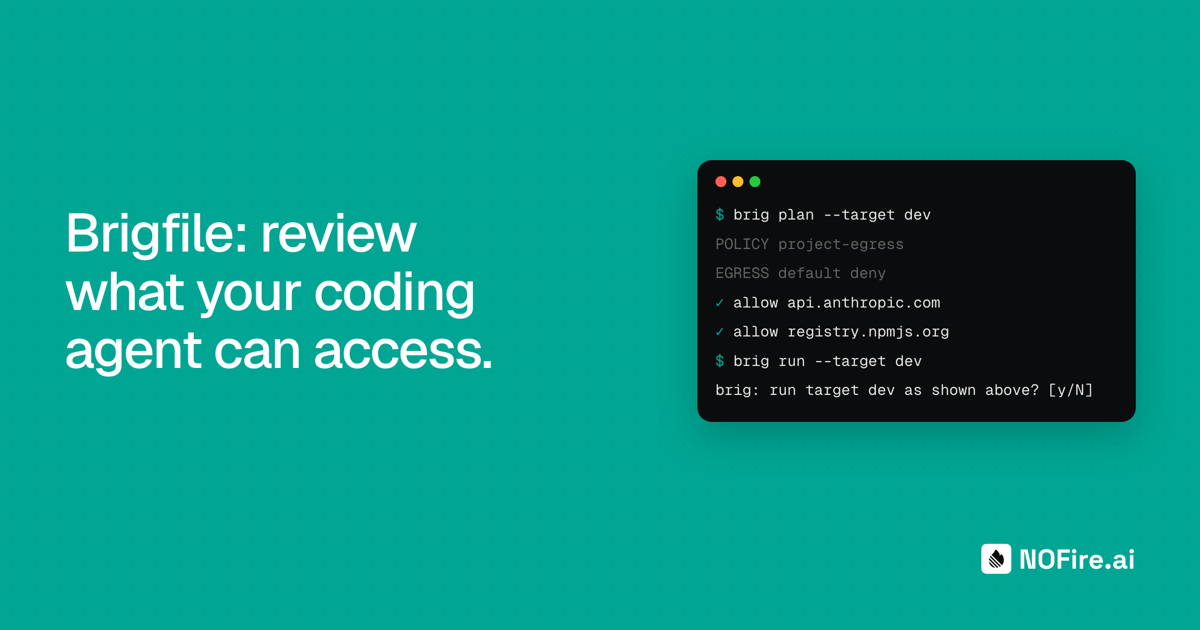
brig plan --target dev
target ls lists the available targets. config resolves what the repository declares. plan shows what a run on this machine would get, including applicable local settings and command-line flags. None of these commands starts a sandbox or reads secret values.
The distinction matters. For image, memory and vCPU settings, a command-line flag takes precedence over a BRIG_* setting, then the target's overrides, then the profile. A builtin: profile selects the version bundled with the installed Brig release and ignores local profile files that override its name. It does not pin every engineer to the same Brig version.
Policies combine too. The target's policies and those listed by a repository profile apply together. A built-in profile also brings its own policies and applicable attachments made with brig policy attach. Allow rules and routes from those policies all take effect, so adding a policy can expand access.
I would check the image, mounts, network, credential bindings and route upstreams in the plan before approving it. A route's name does not prove where it sends requests. A repository can declare a route that sends a secret already in your store to an upstream it chooses.
An image override needs the same attention. Replacing a built-in profile's image keeps that profile's credential bindings, so the replacement image receives those credentials. The plan calls this out.
Repository profiles have limits of their own. They cannot execute a host program, copy or mount arbitrary host directories, choose a host secret source, select a hypervisor, or join a shared network. Brig also rejects ref: env.<name> in those profiles. The reference covers the full restrictions.
The agent can edit its configuration too
Once the plan matches the access you intend to grant:
brig run --target devBrig displays the configuration and asks for approval. Only y or yes approves it. The approval is stored outside the project in ~/.brig/approvals.json, for that checkout, target and session. Later runs with the same configuration do not prompt again.
Change the Brigfile, a referenced profile or policy, the image reference, credential bindings, ports, resource settings or launch arguments, and Brig requires approval again. Ordinary edits to application source do not.
If the agent edits a policy file, the running sandbox keeps the configuration it started with. The edit does not change the running sandbox's rules. A later target run encounters the change and refuses to use the existing sandbox with the new configuration.
To apply an approved change:
brig run --target dev --recreateBrig asks for approval, then recreates the sandbox while preserving its guest home. Alternatively, brig rm --target dev removes the sandbox, guest home and approval.
The project is still your real working directory. Files the agent changes or deletes there stay changed after the sandbox is removed. Review and restore those changes through version control.
Be clear about what approval covers
An approval covers the execution configuration. It does not approve every action the agent will take once it starts.
| Item | What the approval means |
|---|---|
| Configuration | The Brigfile and referenced files, resolved profile, policies, routes, resource limits, network, mounts, effective settings, credential bindings, ports, runtime and arguments are covered |
| Image | The reference is covered. A tag can later resolve to different bytes. Pin overrides.image to a digest when the content must stay fixed |
| Secrets | Names and bindings are covered, not secret values. Check which upstream each route sends a credential to |
| Project files | The agent can modify the mounted project. Approval does not make those changes reversible |
Brig stores names, paths and digests rather than secret values. It reads secret values only after approval and boots the configuration it showed you, even if a file changes while the prompt is open.
Running without a terminal
In CI, or with --json, Brig does not prompt. A run needs a matching stored approval or an explicitly supplied digest. Otherwise it starts no sandbox, exits with status 8 and prints the digest of the run.
For a Brigfile that defines a ci target, review that plan and repeat the same command with its digest:
brig run --target ci --approve sha256:<digest>The digest covers the checkout path, command line and effective settings. Obtain it for the run on that machine, in that directory. An approval copied from a different checkout may not match.
Keep it outside the repository, in a CI variable controlled by maintainers. If the repository contains both the policy and the digest that approves it, whoever changes the policy can change its approval too.
Get started
Run brig init, add the policies your project needs, inspect them with brig plan --target dev, then run the target. Commit the Brigfile and its referenced files so the next change to the agent's access appears in code review.
The format is currently brig.sh/v1alpha1 and can change between releases. brig init includes a schema reference for editor validation. The Brigfile guide covers the complete format, resolution rules and session lifecycle.
I want a change to an agent's access to be a decision someone has to explain in a pull request. Brigfile gives that decision a place in the repository, and Brig's plan and approval mechanism let each operator check what they are about to run.
Install Brig or read the source. Brig is built by NOFire.ai and released under Apache 2.0.