
You choose what the agent closes
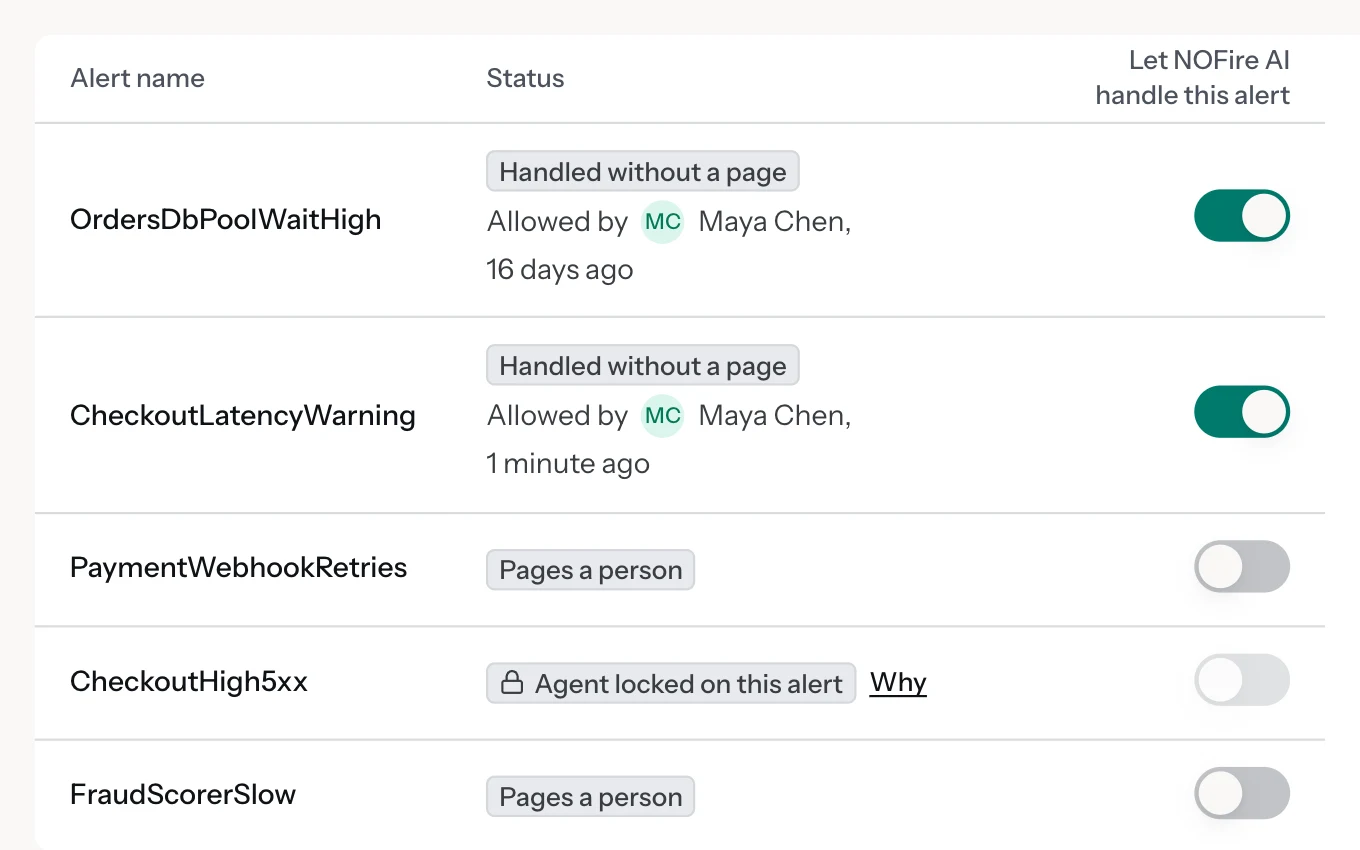
Switch an alert on and the agent resolves it alone. Alerts with a critical or production history stay with a person.
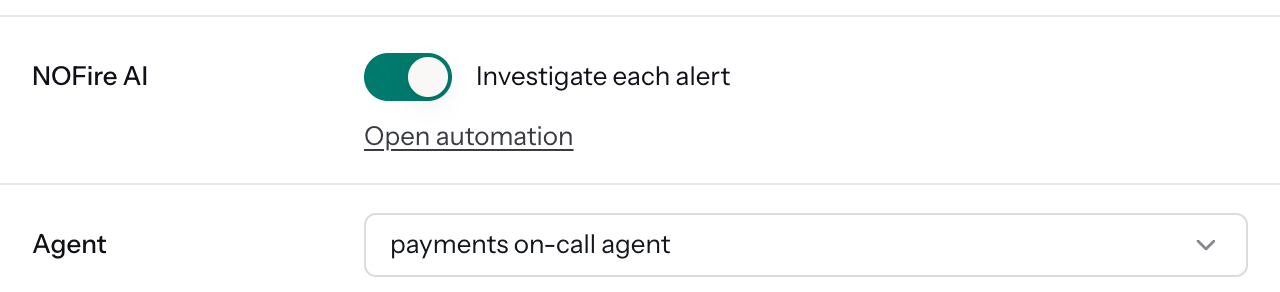
Schedules, escalations and paging, with your team's agents on every rotation. Agents handle the alerts you allow and page a person, with the cause, for the rest. Free for up to 15 users.







Switch an alert on and the agent resolves it alone. Alerts with a critical or production history stay with a person.
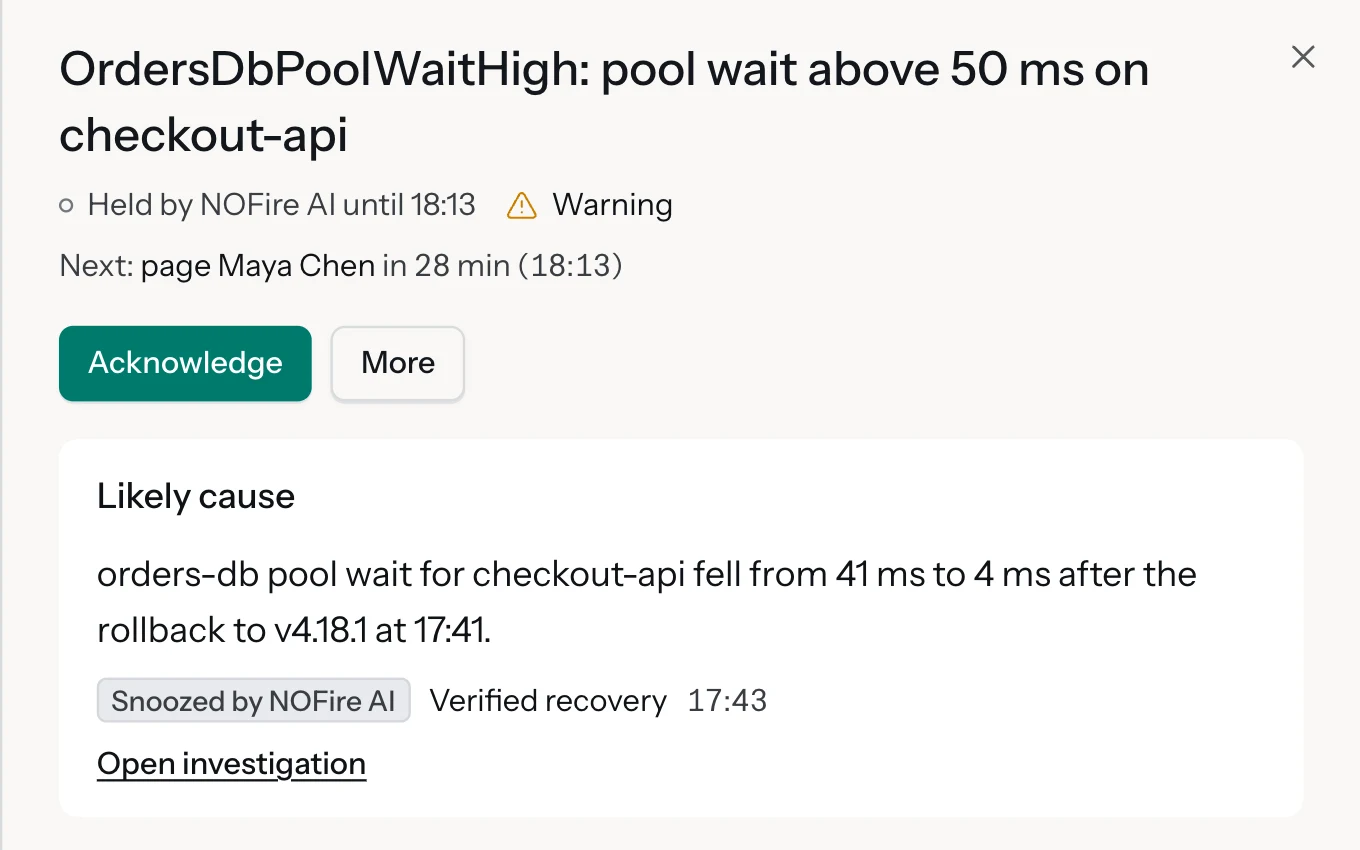
The agent checks each alert first. When the service has recovered, nobody is paged, and the alert shows what the agent found.
When a person is needed, the page arrives with the root cause, the evidence and the next step.
See how the agent investigates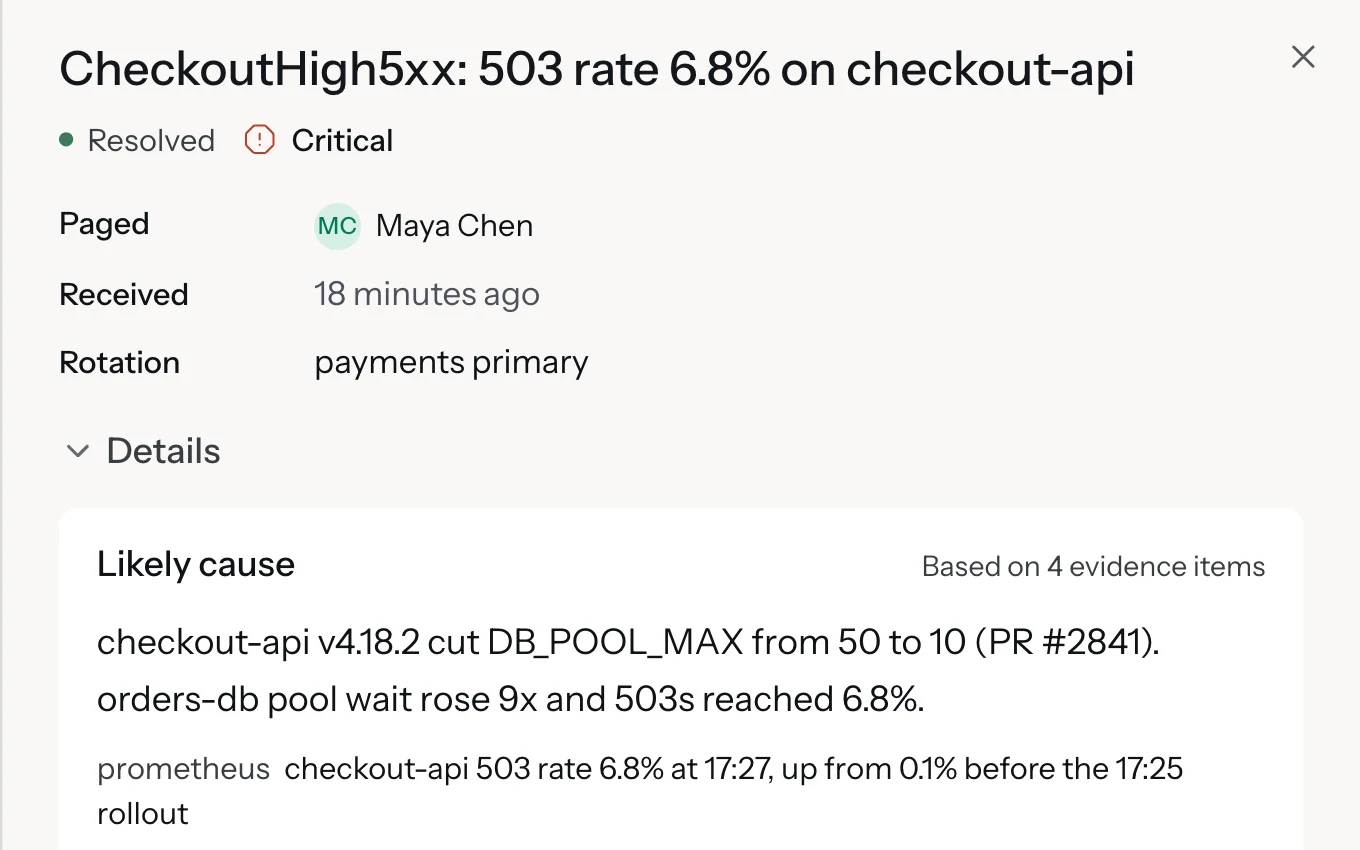
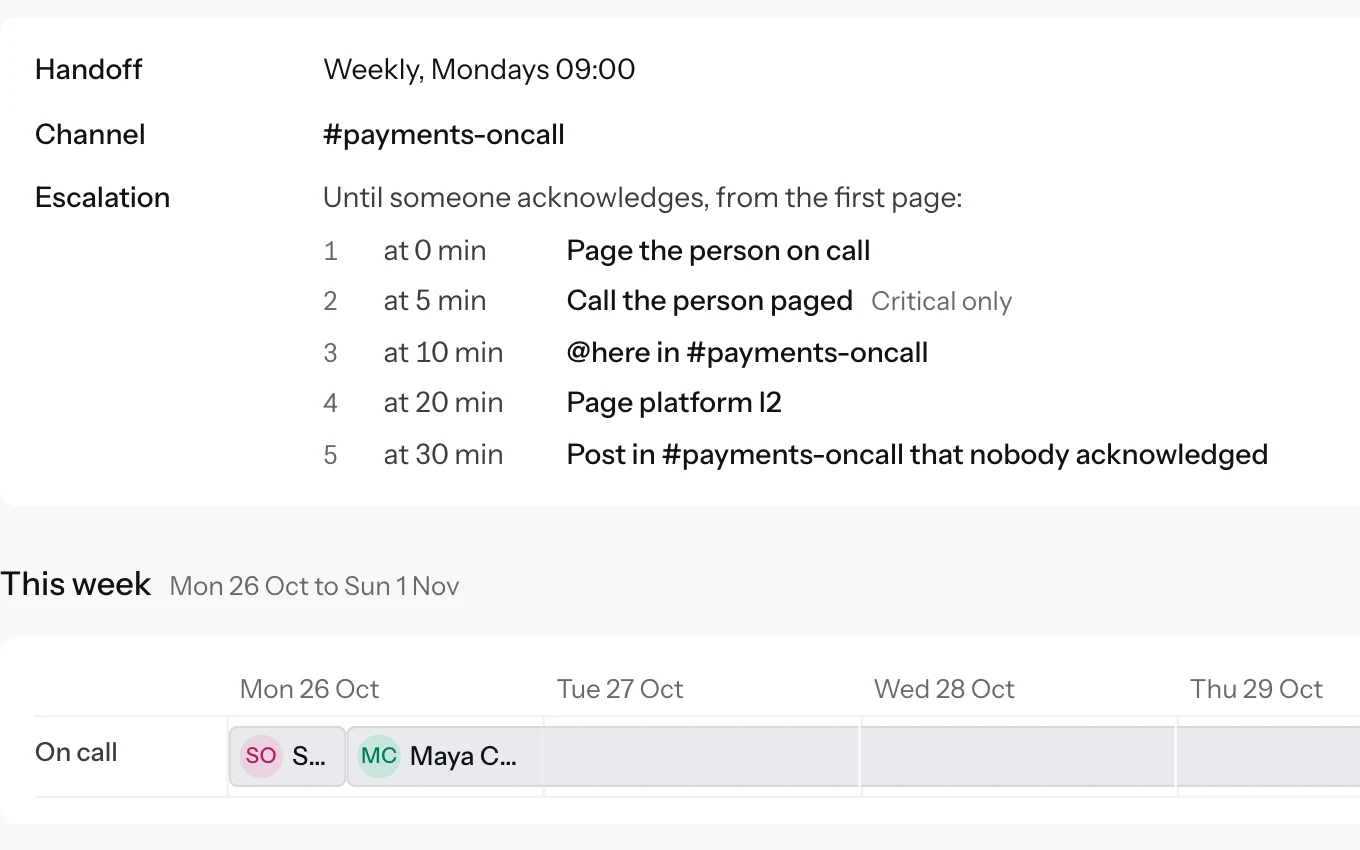
Write each step in plain language: Slack, push, SMS, phone or email. When nobody acknowledges, the page moves to the next step on time.
Free for up to 15 users: schedules, escalations and every channel. No card.
Every page is a durable workflow. Timers survive deploys and restarts, a failed send moves to the next channel, and escalation stops when someone acknowledges.
Every page, acknowledgement and handoff is recorded with who and when, grouped under CC7.3 to CC7.5. Export a PDF for your auditor.
Download a sample report (PDF)Teams, schedules, escalation policies, routing and alert history come across. Opsgenie shuts down on April 5, 2027.
Yes. Send the same alerts to both for a week or two, compare who got paged alert by alert, and switch when they match.
It comes across with everything else: teams, schedules, escalation policies and your alert history. Import it before April 5, 2027, because Atlassian deletes it after that.
Yes. Teams, schedules, escalation policies and alert history come across in one step from PagerDuty, incident.io, Grafana OnCall and Splunk On-Call, the same way as from Opsgenie.
Anyone who can be put on a schedule or paged. People who only view incidents don't count.
Yes. Schedules, escalation policies and the full page history can be exported at any time, through the API or as CSV. Nothing is locked in.
Yes. Overrides and swaps change who's on call for a set time without editing the schedule.
Any monitoring tool that can send a webhook or an email, including Datadog, Grafana, Prometheus Alertmanager and CloudWatch.